
Mechanical CAD Courses Online
Mechanical CAD courses online at CADD Mentors. Live instructor-led training in SolidWorks, CATIA, NX CAD, Creo and AutoCAD Mechanical. Learn from anywhere in India with project-based practice.
Course Details
Mechanical CAD Courses Online
Duration
60–80 Hours
Mode
Online
Software
SolidWorks, CATIA + more
Eligibility
Engineering / Design students · Professionals
Certificate
Included on completion
Delivery
Live Online India
About This Course
Mechanical CAD Courses Online at CADD Mentors provide live instructor-led training in the major 3D mechanical CAD platforms — SolidWorks, CATIA, Siemens NX, PTC Creo and AutoCAD Mechanical — for students and professionals anywhere in India. Each online course covers parametric part modelling, surface design, assembly, engineering drawings and real-world projects, with the same depth as classroom training delivered entirely through live remote sessions.
Whether you are a mechanical engineering student looking to build job-ready CAD skills, a working professional upgrading to a new platform, or an engineer in a city without access to quality CAD training, our online Mechanical CAD batches provide structured, project-based learning with remote instructor guidance throughout.
Best suited for:
Curriculum
What You Will Learn in Mechanical CAD Courses Online
Choosing the right Mechanical CAD platform for your industry and career goal
3D parametric part modelling using the selected software
Sketch-based feature creation: extrude, revolve, sweep, loft and boolean operations
Surface modelling techniques for complex product and component geometry
Assembly constraints, component positioning and interference analysis
Engineering drawings with GD&T annotation, section views and title blocks
Industry workflow: file management, PDM basics and data exchange formats
Hands-on projects aligned with automotive, aerospace or manufacturing applications
Remote software setup guidance and screen-share troubleshooting support
Career guidance on which CAD platform to learn based on job market demand
Course Structure
Mechanical CAD Courses Online — Syllabus Modules
Module 1 – Mechanical CAD Overview and Software Selection
Comparison of SolidWorks, CATIA, NX CAD and Creo — industry usage, job market demand and how to choose your primary platform.
Module 2 – Interface, Workflow and File Management
Software environment, model tree or feature manager, file types, references and data management practices.
Module 3 – Parametric Part Modelling
Core features for solid part creation applied to mechanical components in your chosen platform.
Module 4 – Advanced Modelling and Surfaces
Complex features, surface creation and hybrid modelling for components with complex geometry.
Module 5 – Assembly Design
Assembly constraints, mates, degree of freedom management, motion study basics and explosion views.
Module 6 – Engineering Drawings and GD&T
Drawing view creation, dimensions, tolerances, GD&T feature control frames and drawing output.
Module 7 – Industry Workflow and Data Exchange
PDM basics, neutral file formats (STEP, IGES, Parasolid), design review and handover to manufacturing.
Module 8 – Projects and Portfolio
Complete project in your chosen platform covering part, assembly and drawing — suitable for portfolio or interview.
Not sure if this course is right for you?
Talk to a counsellor before you enrol - no commitment required.
Hands-On Learning
Course Project Examples
These are example project tasks you will practise during the training. Visuals are illustrative — they represent the type of work covered, not actual student output.
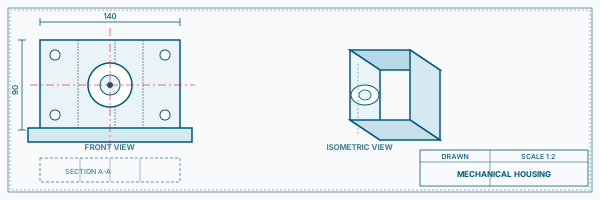
Industry Component Model
Mechanical CADIndustry Component Model
Model a real-world mechanical component from an engineering drawing, using your selected CAD platform.
Mechanical CAD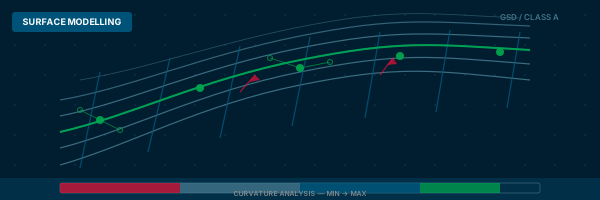
Surface-Heavy Part
Mechanical CADSurface-Heavy Part
Create a consumer product or complex industrial component with surface modelling in your chosen software.
Mechanical CAD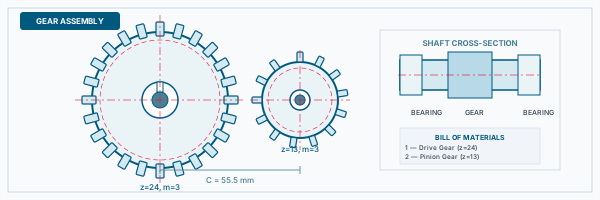
Assembly with Constraints
Mechanical CADAssembly with Constraints
Build and fully constrain a mechanical sub-assembly demonstrating correct part relationships and exploded view.
Mechanical CAD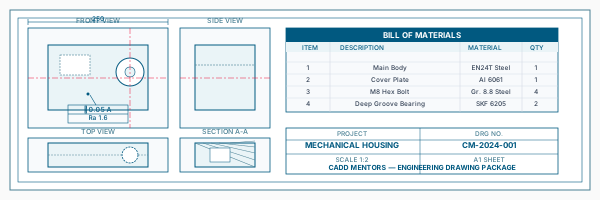
Engineering Drawing Package
Mechanical CADEngineering Drawing Package
Produce a drawing set with orthographic views, sections, GD&T callouts and title block from your 3D model.
Mechanical CAD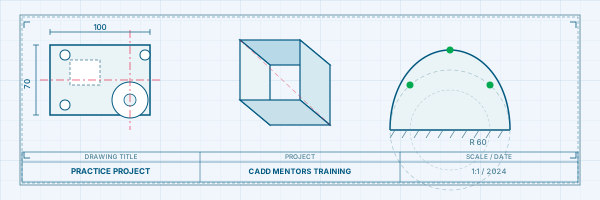
Industry-Specific Project
Mechanical CADIndustry-Specific Project
Apply your CAD skills to a project scenario drawn from automotive, aerospace or industrial machinery — depending on your career direction.
Mechanical CADIs This Course for You?
Who Should Join Mechanical CAD Courses Online?
Mechanical engineering students anywhere in India who want live online CAD training
Diploma holders seeking industry-ready 3D CAD skills without travelling to Bangalore
Working professionals who want to learn or upgrade to a specific CAD platform from home
Career changers from allied engineering fields who want to move into mechanical design
Freshers looking for structured guidance on which CAD platform to learn first
Engineers in Tier 2 and Tier 3 cities where classroom CAD training options are limited
After the Course
Career Opportunities After Mechanical CAD Courses Online
These are roles and sectors where this software skill is typically valued. Job outcomes depend on your background, portfolio and other factors.
Mechanical design engineer at automotive OEMs, tier suppliers or manufacturing companies
Product design engineer in consumer goods, industrial equipment or aerospace
CAD operator at engineering design consultancies and contract design firms
Design engineer in machine building, tooling or precision engineering companies
Freelance CAD modeller for product development start-ups and hardware companies
Graduate engineer with a verified CAD skill set for design or development team roles
Training Delivery
Live Online Training Across India
Online Training - Live Instructor-Led, Pan India
This course is delivered through live online sessions for students across India. Students attend from their own machine, practise during the session and receive instructor support online.
Support
Frequently Asked Questions - Mechanical CAD Courses Online
- Which Mechanical CAD course should I take online?
- The best choice depends on your target industry. SolidWorks is most widely used in manufacturing and SME environments. CATIA and NX CAD are standard in aerospace and automotive OEMs. Creo is widely used in defence and heavy engineering. Our counsellors can advise based on your background and the job market in your area.
- How do the online sessions work?
- Sessions are live and instructor-led over video call. The instructor demonstrates tools on screen, students follow along on their own machine, and projects are shared and reviewed remotely. There is no pre-recorded content — all sessions are live.
- Do I need to have the software installed before I start?
- Yes. Your instructor will guide you on how to obtain and install the required software before the first session. Some platforms offer student licences and trial versions. Setup support is included.
- Can I learn two platforms together online?
- We recommend completing one platform to a working level before starting a second. You can discuss a combined learning plan with your counsellor before enrolling.
- Is the online syllabus the same as classroom training?
- Yes. The syllabus, projects and assessments for online training are identical to the classroom programme. The only difference is the delivery format.
- Can working professionals attend online sessions in the evening?
- Yes. Batch schedules include morning, afternoon and evening options. Weekend batches are also available for working professionals who cannot attend weekday sessions.
- Which cities across India can join the online Mechanical CAD course?
- Students from any city in India can join the online batches — including Hyderabad, Pune, Chennai, Mumbai, Delhi, Ahmedabad, Coimbatore, Nagpur and Tier 2/3 cities where local CAD training options may be limited.
Start Your CAD Learning Journey with CADD Mentors
Speak with our counsellor, choose the right course for your goal and attend a free demo before joining.