
Revit Architecture Course Online
Revit Architecture course online at CADD Mentors. Live instructor-led BIM training for architecture and civil engineering students anywhere in India. Same syllabus as classroom - delivered live online.
Course Details
Revit Architecture Course Online
Duration
60 Hours
Mode
Online
Software
Autodesk Revit 2024, BIM Workflow
Eligibility
Engineering / Design students · Professionals
Certificate
Included on completion
Delivery
Live Online India
About This Course
Revit Architecture Course Online at CADD Mentors is a live instructor-led BIM training programme available to architecture and civil engineering students anywhere in India. This online Revit course covers the complete architectural BIM workflow - from project setup and modelling through to drawing documentation, schedules and rendered views - using Autodesk Revit.
Delivered entirely through live remote sessions, this course is designed for students and professionals who want structured Revit training without travelling to Bangalore. The online Revit Architecture syllabus is identical to our classroom programme, with the same project scope and assessments delivered live over video conferencing.
Best suited for:
Curriculum
What You Will Learn in Revit Architecture Course Online
BIM concepts and how Revit differs from 2D drafting in AutoCAD
Revit interface, project browser, view controls and family types - set up live online
Project setup: levels, grids, units and view templates for an architecture project
Walls, floors, roofs and ceiling modelling with compound structure definitions
Doors, windows, stairs, ramps and railings - insertion, editing and tagging
Architectural and structural column placement and grid coordination
Room elements, colour fills and automated room schedule generation
Door, window and material takeoff schedules for documentation
Sheet organisation, title blocks and printing or exporting to PDF
Materials, camera views and Revit rendering basics for presentation
Course Structure
Revit Architecture Course Online — Syllabus Modules
Module 1 - Revit Basics and Project Setup
Interface orientation, levels, grids, project units and initial model setup - covered in live online session with screen sharing.
Module 2 - Walls, Floors and Roofs
Architectural element creation and editing for a complete building envelope, demonstrated and practised live.
Module 3 - Doors, Windows and Openings
Family insertion, instance and type parameters, door and window schedules and tag placement.
Module 4 - Staircases, Railings and Ramps
Stair component types, railing system configurations and ramp creation for multi-storey projects.
Module 5 - Documentation and Schedules
Room elements, material takeoffs, door and window schedules, view filters and keynote annotation.
Module 6 - Sheets, Views and Output
Sheet organisation, title block setup, view placement and exporting to PDF for project submission.
Module 7 - Site, Massing and Rendering
Site modelling, conceptual massing workflow, material application and camera-based rendering.
Module 8 - Projects and Review
Complete a multi-storey residential or small commercial building model with a full drawing and schedule set.
Not sure if this course is right for you?
Talk to a counsellor before you enrol - no commitment required.
Hands-On Learning
Course Project Examples
These are example project tasks you will practise during the training. Visuals are illustrative — they represent the type of work covered, not actual student output.
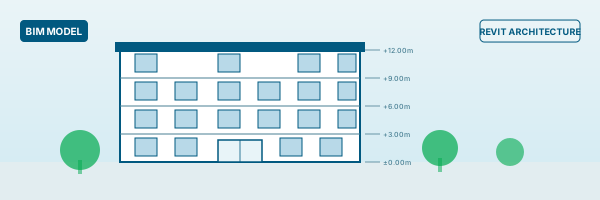
Residential Building Model
BIMResidential Building Model
Model a G+2 residential building with walls, floors, roof, stairs, doors and windows. Produce a drawing set with floor plans, sections, elevations and room schedule - submitted and reviewed online.
BIM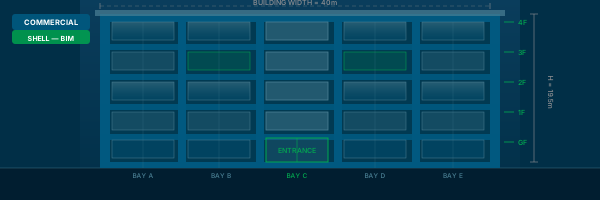
Commercial Building Shell
BIMCommercial Building Shell
Model the structural shell of a simple commercial building with curtain wall facade and multi-level floor slabs.
BIM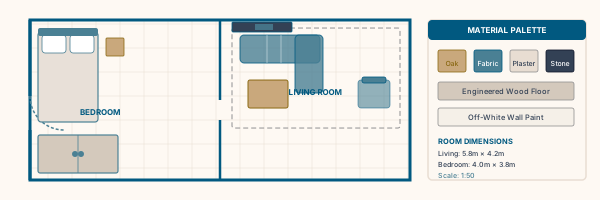
Interior Layout in Revit
BIMInterior Layout in Revit
Set up rooms, furniture families and ceiling grids for an interior design project with schedule output.
BIM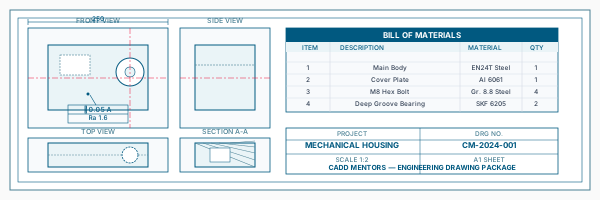
Drawing Sheet Package
BIMDrawing Sheet Package
Organise floor plan, section, elevation and perspective views on A1 sheets with a title block and annotations.
BIM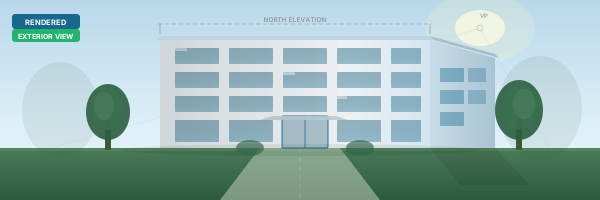
Rendered Exterior View
BIMRendered Exterior View
Set up sun position, materials and a camera view, then produce a rendered output for an online portfolio.
BIMIs This Course for You?
Who Should Join Revit Architecture Course Online?
Architecture students anywhere in India who need BIM skills for placements or final year projects
Civil engineering students in building design who cannot access classroom training locally
Interior design students who want to work with BIM documentation workflows
Working professionals in architecture or construction moving from AutoCAD to Revit, attending from home or office
MEP engineers who need to understand the architectural Revit model for BIM coordination
Students in Tier 2 and Tier 3 cities where Revit training options are limited or unavailable
Professionals whose firms require BIM-based project delivery and need structured online upskilling
After the Course
Career Opportunities After Revit Architecture Course Online
These are roles and sectors where this software skill is typically valued. Job outcomes depend on your background, portfolio and other factors.
BIM modeller or BIM coordinator at architecture or engineering consultancies
Architectural draftsman working on Revit-based construction documentation
Site coordination and clash detection support on large multi-discipline projects
Junior architect or design engineer using BIM workflows in a project team
Revit documentation specialist at AEC firms or urban planning consultancies
MEP-architecture coordination support engineer
Training Delivery
Live Online Training Across India
Online Training - Live Instructor-Led, Pan India
This course is delivered through live online sessions for students across India. Students attend from their own machine, practise during the session and receive instructor support online.
Software Resources
Official Software References
These links point to official software and product pages that can help learners understand the tools covered in this course.
Software names and product names are trademarks of their respective owners. CADD Mentors is an independent training provider and is not affiliated with or endorsed by these companies.
Support
Frequently Asked Questions - Revit Architecture Course Online
- Is this Revit Architecture course conducted fully online?
- Yes. This is a dedicated online course with live instructor-led sessions delivered over video conferencing. There are no classroom components. Students attend and practise on their own machines from any location in India.
- What is the difference between this course and the Revit Architecture classroom course in Bangalore?
- The syllabus and projects are identical. The only difference is the delivery format. The Bangalore classroom course at our HSR Layout centre involves in-person sessions at our training facility. This online course is designed for students who cannot travel to Bangalore or prefer to learn from their own location.
- Which cities in India can join this online Revit course?
- Students from any city across India can join - including Hyderabad, Pune, Chennai, Mumbai, Delhi, Ahmedabad, Kochi, Coimbatore, Nagpur and cities without local BIM training options. You only need a stable internet connection and a machine that can run Autodesk Revit.
- How do the live online Revit sessions work?
- Sessions are conducted live over video conferencing. The instructor shares their screen to demonstrate Revit tools and workflows. Students follow along on their own Revit installation and complete exercises during the session. Session recordings are available for revision.
- Do I need Autodesk Revit installed before the course starts?
- Yes. Your instructor will guide you on obtaining and installing Autodesk Revit before the first session. Autodesk provides student licences through the Autodesk Education Community, which most students are eligible for.
- Is the online Revit course syllabus the same as the classroom syllabus?
- Yes. The online course covers the same modules, projects and assessments as the Revit Architecture classroom programme at our HSR Layout centre. The course depth and project complexity are identical.
- Is CADD Mentors an Autodesk authorised training centre?
- CADD Mentors is an independent training provider. We are not officially authorised or affiliated with Autodesk. Autodesk Revit is covered as the primary BIM tool in our curriculum. Software names are used only to describe what the course teaches.
Start Your CAD Learning Journey with CADD Mentors
Speak with our counsellor, choose the right course for your goal and attend a free demo before joining.