
HyperMesh Training in Bangalore
HyperMesh Training in Bangalore at CADD Mentors. Learn Altair HyperMesh for FEA pre-processing, mesh generation, quality checks and solver export for structural and crash analysis.
Course Details
HyperMesh Training
Duration
50 Hours
Mode
Classroom + Online
Software
Altair HyperMesh, HyperView + more
Eligibility
Engineering / Design students · Professionals
Certificate
Included on completion
Delivery
HSR Layout · Online India
About This Course
HyperMesh Training in Bangalore at CADD Mentors covers Altair HyperMesh — the industry-leading FEA pre-processor used in automotive, aerospace and heavy engineering for mesh generation, geometry cleanup and model setup ahead of structural, crash and NVH simulation. This course takes students through CAD import, geometry repair, 2D and 3D meshing, quality verification and solver-ready model export.
CADD Mentors provides HyperMesh training from our HSR Layout centre in Bangalore. Classroom sessions run in small scheduled batches. Online training is available for students and professionals across India.
Best suited for:
Curriculum
What You Will Learn in HyperMesh Training
HyperMesh interface, browsers, panels and model organisation
CAD geometry import: IGES, STEP, Parasolid and native CAD formats
Geometry cleanup: defeaturing, surface filling, edge repair and mid-surface extraction
1D mesh: beam, bar and rod elements for frame and structural modelling
2D mesh: shell element creation with quad and tria quality criteria
3D mesh: tetra and hex meshing for solid components
Mesh quality checks: Jacobian, warpage, aspect ratio, skewness and element size control
Material and property assignment, coordinate systems and load collectors
Boundary condition setup: forces, constraints, pressure loads and thermal loads
Solver deck export: Nastran, OptiStruct, LS-DYNA and Abaqus format setup
Course Structure
HyperMesh Training — Syllabus Modules
Module 1 – HyperMesh Interface and Workflow
Environment overview, browser hierarchy, model organisation, import/export and basic entity management.
Module 2 – Geometry Cleanup and Preparation
CAD import, geometry repair, surface filling, edge equivalencing, mid-surface extraction and defeature techniques.
Module 3 – 1D Element Meshing
Beam, bar, rod, spring and rigid element creation for frame structures and connection modelling.
Module 4 – 2D Shell Meshing
Automesh, mapped mesh and shrink wrap for thin-walled structures with quality criteria verification.
Module 5 – 3D Solid Meshing
Tetra mesh from surface mesh, solid map for hex meshing and element smoothing techniques.
Module 6 – Mesh Quality and Checking
Quality criteria: Jacobian, warpage, aspect ratio, skew and free edge checks with batch meshing workflows.
Module 7 – Model Setup for Simulation
Material and property cards, load collectors, boundary conditions, contact definition and output request setup.
Module 8 – Solver Export and Project
Solver deck export for Nastran, OptiStruct and LS-DYNA; end-to-end project from CAD geometry to analysis-ready mesh.
Not sure if this course is right for you?
Talk to a counsellor before you enrol - no commitment required.
Hands-On Learning
Course Project Examples
These are example project tasks you will practise during the training. Visuals are illustrative — they represent the type of work covered, not actual student output.
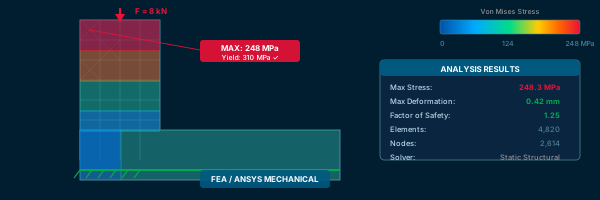
Bracket Shell Mesh
CAEBracket Shell Mesh
Import a sheet metal bracket geometry, clean up, create a 2D shell mesh and verify quality against standard criteria.
CAE Engine Mounting Solid Mesh
CAEEngine Mounting Solid Mesh
Prepare and solid-mesh a cast engine bracket component using tetra mesh workflow from STEP geometry.
CAE Automotive Subframe Mesh
CAEAutomotive Subframe Mesh
Create a multi-component FEA model of a chassis subframe with 1D, 2D and spot-weld connections.
CAE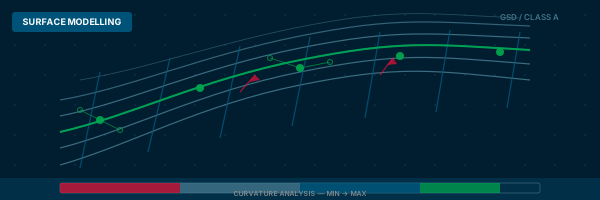
Body Panel Mid-Surface Extraction
CAEBody Panel Mid-Surface Extraction
Extract mid-surface from a thin automotive body panel, mesh as shell elements and verify mesh quality.
CAE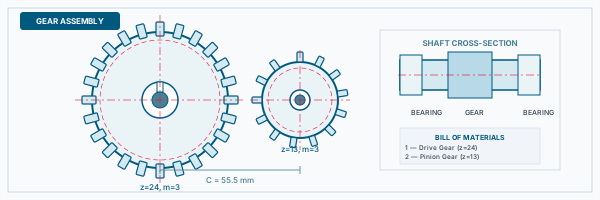
Model Assembly and Boundary Conditions
CAEModel Assembly and Boundary Conditions
Assemble a meshed model with materials, properties and boundary conditions ready for OptiStruct linear static analysis.
CAEIs This Course for You?
Who Should Join HyperMesh Training?
Mechanical engineering students targeting CAE analyst or simulation engineering roles
Aerospace and aeronautical engineering students interested in structural and crash analysis
Automotive engineering students targeting OEM or tier-1 simulation teams
Working professionals with CAD skills wanting to transition into FEA pre-processing
CAE engineers who use ANSYS and want to add HyperMesh pre-processing skills
Production engineers moving into structural simulation and design validation
After the Course
Career Opportunities After HyperMesh Training
These are roles and sectors where this software skill is typically valued. Job outcomes depend on your background, portfolio and other factors.
CAE pre-processing engineer at automotive OEMs or tier-1 suppliers
Finite element analyst in aerospace or defence simulation teams
Structural analysis engineer using HyperMesh as the pre-processor for Nastran or OptiStruct
Crash and NVH simulation engineer in passenger vehicle development
Simulation consultant for product development and validation projects
CAE data management engineer supporting solver workflow and model libraries
Training Delivery
Classroom, Online and Flexible Training Options
Classroom Training — HSR Layout, Bangalore
CADD Mentors provides classroom training support from its HSR Layout setup in Bangalore. Batch availability is limited and sessions are scheduled on a batch basis. Learn more about our HSR Layout centre →
Online Training — Live Instructor-Led, Pan India
Online training is available for students who prefer to learn remotely. The same syllabus, projects and instructor support are provided online. Students from across India join our online programmes.
Software Resources
Official Software References
These links point to official software and product pages that can help learners understand the tools covered in this course.
Software names and product names are trademarks of their respective owners. CADD Mentors is an independent training provider and is not affiliated with or endorsed by these companies.
Support
Frequently Asked Questions - HyperMesh Training
- Is HyperMesh training available in Bangalore at CADD Mentors?
- Yes. HyperMesh training is available from our HSR Layout centre in Bangalore. Classroom sessions are batch-based. Online training is also available for students across India.
- What is HyperMesh used for?
- Altair HyperMesh is a high-performance finite element pre-processor used to prepare CAD geometry, generate meshes, apply loads and boundary conditions, and export solver decks for structural, crash, NVH and thermal analysis.
- Do I need to know FEA or ANSYS before learning HyperMesh?
- Basic FEA concepts are helpful but the course introduces pre-processing fundamentals from the start. Familiarity with 3D CAD software is an advantage since HyperMesh involves working with geometry.
- Which solvers work with HyperMesh?
- HyperMesh exports solver decks for Altair OptiStruct, MSC Nastran, LS-DYNA, Abaqus and PAM-CRASH, among others. The course covers OptiStruct and Nastran export formats in detail.
- What is the duration of the HyperMesh course?
- The HyperMesh course at CADD Mentors is approximately 50 hours, covering geometry cleanup, 1D, 2D and 3D meshing, quality verification, model setup and solver export.
- Can I learn HyperMesh online through CADD Mentors?
- Yes. Online HyperMesh training is available with live instructor-led sessions. The curriculum, meshing exercises and project coverage match the classroom programme.
Start Your CAD Learning Journey with CADD Mentors
Speak with our counsellor, choose the right course for your goal and attend a free demo before joining.