
CATIA Training in Bangalore
CATIA Training in Bangalore at CADD Mentors. Learn CATIA V5 part design, surface modelling, assembly and drafting for aerospace, automotive and mechanical engineering careers.
Course Details
CATIA Training
Duration
60 Hours
Mode
Classroom + Online
Software
CATIA V5, CATIA V6 (overview)
Eligibility
Engineering / Design students · Professionals
Certificate
Included on completion
Delivery
HSR Layout · Online India
About This Course
CATIA Training in Bangalore at CADD Mentors covers the Dassault Systèmes CATIA V5 software, which is the industry-standard CAD tool in aerospace, automotive and defence engineering. This CATIA course covers parametric part design, surface modelling, assembly design and drafting — preparing you for design roles in high-precision industries.
CADD Mentors provides CATIA training from our HSR Layout setup in Bangalore. Online training is also available for students who prefer remote learning.
Best suited for:
Curriculum
What You Will Learn in CATIA Training
CATIA V5 interface, specification tree and model management
Sketch-based features: pad, pocket, shaft, groove and dress-up
Advanced features: pattern, mirror, boolean operations and multi-body
Reference geometry: planes, axes and parametric expressions
Generative Shape Design: wireframe curves and basic surface creation
Surface operations: join, trim, split, offset and surface quality checks
Hybrid solid-surface modelling workflow for complex geometry
Assembly constraints: coincidence, contact, offset and angle mates
Assembly interference analysis and exploded view generation
Drafting: drawing views, GD&T annotations and title block customisation
Course Structure
CATIA Training — Syllabus Modules
Module 1 – CATIA V5 Interface and Navigation
Workbench overview, specification tree, product structure, part vs product documents and design intent.
Module 2 – Part Design Fundamentals
Sketch-based features for mechanical parts applied to common engineering components.
Module 3 – Advanced Part Design
Patterns, mirrors, booleans, multi-body design, parameters and design formulas.
Module 4 – Generative Shape Design
Wireframe and surface creation, surface operations and hybrid solid-surface modelling.
Module 5 – Assembly Design
Product assembly workflow, constraints, motion analysis and large assembly management.
Module 6 – Drafting
Drawing production from 3D models with annotations, tolerances and printing workflow.
Module 7 – CATIA V6 / 3DEXPERIENCE Overview
Platform overview, key differences from V5 and how V6 is applied in industry.
Module 8 – Projects and Review
End-to-end project: model, assemble and draw a mechanical or automotive component.
Not sure if this course is right for you?
Talk to a counsellor before you enrol - no commitment required.
Hands-On Learning
Course Project Examples
These are example project tasks you will practise during the training. Visuals are illustrative — they represent the type of work covered, not actual student output.
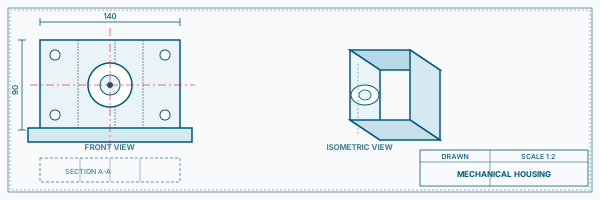
Automotive Bracket
Mechanical CADAutomotive Bracket
Model a steel bracket with complex hole patterns, fillets and draft angles typical of automotive body components.
Mechanical CAD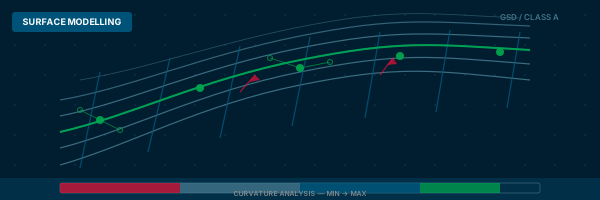
Surface Modelling Exercise
Mechanical CADSurface Modelling Exercise
Create a curved panel shape using Generative Shape Design tools on a 2D profile, then convert to solid.
Mechanical CAD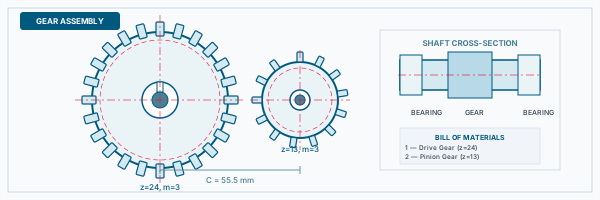
Engine Component Assembly
Mechanical CADEngine Component Assembly
Assemble multiple mechanical parts (shaft, housing, cover) with CATIA assembly constraints.
Mechanical CAD Automotive Panel Surface
Mechanical CADAutomotive Panel Surface
Create a basic curved body panel surface using GSD tools, check surface quality and continuity.
Mechanical CAD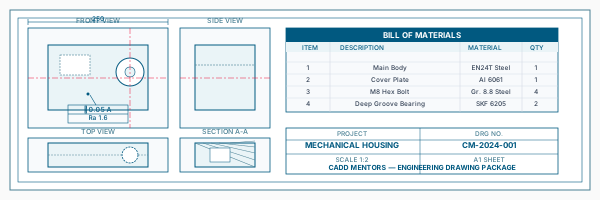
Engineering Drawing Set
Mechanical CADEngineering Drawing Set
Produce a complete drawing from a 3D part model with sections, dimensions and title block.
Mechanical CADIs This Course for You?
Who Should Join CATIA Training?
Mechanical engineering students targeting aerospace or automotive careers
Automobile engineering students preparing for OEM or tier-1 supplier roles
Working professionals in automotive, aerospace or defence engineering
Candidates applying for CATIA-specific roles at companies using Dassault systems
Engineers moving from SolidWorks or Creo into CATIA environments
After the Course
Career Opportunities After CATIA Training
These are roles and sectors where this software skill is typically valued. Job outcomes depend on your background, portfolio and other factors.
Mechanical design engineer at automotive OEMs or tier-1 suppliers
Structural design engineer in aerospace or defence firms
CAD and PLM support engineer in companies using Dassault systems
Body-in-white (BIW) design engineer in automotive manufacturing
Product development engineer in manufacturing companies using CATIA
Engineering consultant or CAD contractor for automotive and aerospace projects
Training Delivery
Classroom, Online and Flexible Training Options
Classroom Training — HSR Layout, Bangalore
CADD Mentors provides classroom training support from its HSR Layout setup in Bangalore. Batch availability is limited and sessions are scheduled on a batch basis. Learn more about our HSR Layout centre →
Online Training — Live Instructor-Led, Pan India
Online training is available for students who prefer to learn remotely. The same syllabus, projects and instructor support are provided online. Students from across India join our online programmes.
Software Resources
Official Software References
These links point to official software and product pages that can help learners understand the tools covered in this course.
Software names and product names are trademarks of their respective owners. CADD Mentors is an independent training provider and is not affiliated with or endorsed by these companies.
Support
Frequently Asked Questions - CATIA Training
- Is CATIA training available in Bangalore at CADD Mentors?
- Yes. CADD Mentors provides CATIA training from our HSR Layout setup in Bangalore. Classroom sessions are batch-based. Online training is also available.
- Which version of CATIA is taught in this course?
- We primarily teach CATIA V5, which remains the dominant version used in aerospace, automotive and defence engineering. An overview of CATIA V6 and 3DEXPERIENCE platform concepts is also covered.
- Who is CATIA training suitable for?
- CATIA training is most relevant for mechanical engineering students, aerospace engineering students and working professionals targeting automotive OEMs, aerospace companies or their tier-1 suppliers.
- What is the difference between CATIA and SolidWorks?
- Both are parametric 3D CAD tools. CATIA is used primarily in aerospace and automotive industries where complex surface modelling and PLM integration are required. SolidWorks is more common in general product design. CATIA is the tool of choice for top-tier OEMs.
- Does CATIA training include surface modelling?
- Yes. Our CATIA course includes Generative Shape Design (GSD) covering wireframe, basic surfaces, surface operations and hybrid design, which is important for automotive and aerospace component work.
- Can I learn CATIA online through CADD Mentors?
- Yes. Online CATIA training is available with live instructor-led sessions. The syllabus and project coverage are the same as classroom training.
Start Your CAD Learning Journey with CADD Mentors
Speak with our counsellor, choose the right course for your goal and attend a free demo before joining.