
NX CAD Training in Bangalore
NX CAD Training in Bangalore at CADD Mentors. Learn Siemens NX for mechanical part design, surface modelling, assembly and manufacturing applications. Classroom and online available.
Course Details
NX CAD Training
Duration
60 Hours
Mode
Classroom + Online
Software
Siemens NX, NX CAD + more
Eligibility
Engineering / Design students · Professionals
Certificate
Included on completion
Delivery
HSR Layout · Online India
About This Course
NX CAD Training in Bangalore at CADD Mentors covers the Siemens NX software, one of the most powerful high-end CAD/CAM platforms used in automotive, aerospace, electronics and industrial machinery industries. This NX CAD course teaches parametric part modelling, complex surface design, assembly management and an overview of NX CAM.
CADD Mentors provides NX CAD training from our HSR Layout setup in Bangalore. Online training is also available for students outside the city.
Best suited for:
Curriculum
What You Will Learn in NX CAD Training
NX interface, resource bar, part navigator and document management
Sketch tools, sketch constraints and fully defined sketches in NX
Feature-based modelling: extrude, revolve, sweep, loft and boolean operations
Synchronous modelling: direct face modifications without feature tree dependency
Expressions and parametric relationships for design-driven geometry
Surface creation: through curves, through curve mesh, ruled and studio surface
Surface editing: extend, trim, sew, offset and surface quality checks
Assembly constraints, wave geometry linking and interference analysis
NX drafting: drawing views, GD&T, section and detail views
NX CAM overview: milling operations, toolpath concept and post-processing
Course Structure
NX CAD Training — Syllabus Modules
Module 1 – NX Interface and Fundamentals
Gateway, modelling and sketching environments, part files and assemblies, navigation and selection.
Module 2 – Parametric Part Modelling
Sketch-based features for mechanical components applied to shafts, brackets and housings.
Module 3 – Advanced Modelling
Expressions, reuse, patterns, mirrors, multi-body parts and synchronous modelling techniques.
Module 4 – Surface Design
Curve design, advanced surface creation and editing, hybrid modelling for complex geometry.
Module 5 – Assembly Design
Assembly constraints and motion, top-down design with Wave linking and BOM generation.
Module 6 – NX Drafting
Complete drawing production from 3D models with annotations, tolerances and printing workflow.
Module 7 – NX CAM Overview
CNC machining concepts, NX CAM interface, tool creation and a guided milling operation walkthrough.
Module 8 – Projects and Review
Applied project: model a mechanical component or sub-assembly, produce drawings and review feedback.
Not sure if this course is right for you?
Talk to a counsellor before you enrol - no commitment required.
Hands-On Learning
Course Project Examples
These are example project tasks you will practise during the training. Visuals are illustrative — they represent the type of work covered, not actual student output.
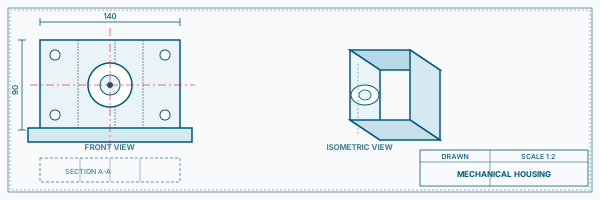
Mechanical Housing
Mechanical CADMechanical Housing
Model a complex housing with ribs, bosses, draft angles and thin-wall sections using NX parametric features.
Mechanical CAD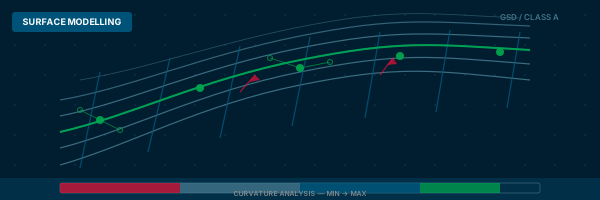
Automotive Inner Panel Surface
Mechanical CADAutomotive Inner Panel Surface
Create a curved panel surface using NX Studio Surface tools, convert to solid shell and check quality.
Mechanical CAD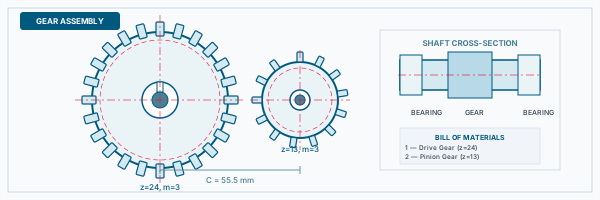
Gearbox Sub-Assembly
Mechanical CADGearbox Sub-Assembly
Assemble gears, shafts and covers using NX assembly constraints and check for interference.
Mechanical CAD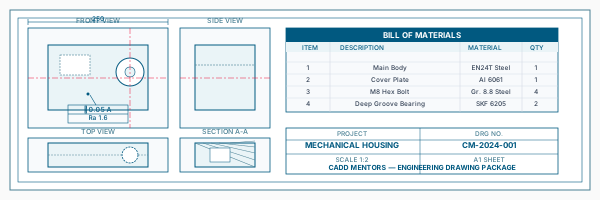
Manufacturing Drawing Package
Mechanical CADManufacturing Drawing Package
Generate a drawing set with views, sections, GD&T annotations and BOM from an NX assembly.
Mechanical CAD
CNC Toolpath Walkthrough
Mechanical CADCNC Toolpath Walkthrough
Set up a simple face milling operation on a block, view the toolpath and understand post-processing output.
Mechanical CADIs This Course for You?
Who Should Join NX CAD Training?
Mechanical engineering students targeting roles in automotive or electronics manufacturing
Aerospace engineering students targeting companies that use Siemens NX
Working professionals in companies standardised on Siemens PLM tools
CAD professionals transitioning from other platforms to NX
Production engineers needing NX for both design and manufacturing data
After the Course
Career Opportunities After NX CAD Training
These are roles and sectors where this software skill is typically valued. Job outcomes depend on your background, portfolio and other factors.
Mechanical design engineer at automotive OEMs or tier suppliers using NX
CAD and CAM engineer in aerospace or defence manufacturing
Product design engineer in electronics or industrial machinery companies
Tooling and fixture design engineer using NX
NX PLM support and data management roles
CNC programmer combining NX CAM with design skills
Training Delivery
Classroom, Online and Flexible Training Options
Classroom Training — HSR Layout, Bangalore
CADD Mentors provides classroom training support from its HSR Layout setup in Bangalore. Batch availability is limited and sessions are scheduled on a batch basis. Learn more about our HSR Layout centre →
Online Training — Live Instructor-Led, Pan India
Online training is available for students who prefer to learn remotely. The same syllabus, projects and instructor support are provided online. Students from across India join our online programmes.
Software Resources
Official Software References
These links point to official software and product pages that can help learners understand the tools covered in this course.
Software names and product names are trademarks of their respective owners. CADD Mentors is an independent training provider and is not affiliated with or endorsed by these companies.
Support
Frequently Asked Questions - NX CAD Training
- Is NX CAD training available in Bangalore at CADD Mentors?
- Yes. CADD Mentors offers Siemens NX training from our HSR Layout setup in Bangalore. Sessions are batch-based. Online training is also available.
- What is Siemens NX used for?
- Siemens NX is a high-end CAD/CAM/CAE software used in automotive, aerospace, electronics and industrial machinery. It covers 3D part design, surface modelling, assembly management and CNC programming.
- Who should learn NX CAD?
- NX CAD is most relevant for mechanical engineering students and professionals targeting automotive OEMs, aerospace companies or electronics manufacturers that use Siemens NX as their standard CAD platform.
- Is NX CAD harder than SolidWorks or CATIA?
- NX is considered an advanced-level CAD tool with a steeper learning curve than SolidWorks, comparable to CATIA in complexity. The depth of NX is a significant advantage in industries where it is the standard tool.
- What is the duration of the NX CAD course at CADD Mentors?
- The NX CAD course is approximately 60 hours, covering part modelling, surface design, assembly, drafting and an overview of NX CAM applications.
- Can I learn Siemens NX online through CADD Mentors?
- Yes. Online NX CAD training is available with live instructor sessions. The curriculum and project coverage are the same as classroom training.
Start Your CAD Learning Journey with CADD Mentors
Speak with our counsellor, choose the right course for your goal and attend a free demo before joining.