
SolidWorks Online Training Course
Learn SolidWorks online with CADD Mentors through live Mechanical CAD training in part modelling, assemblies, drawings and projects for learners across India.
Course Details
SolidWorks Online Training Course
Duration
60 Hours
Mode
Online
Software
SolidWorks 2024, SolidWorks Simulation (intro)
Eligibility
Engineering / Design students · Professionals
Certificate
Included on completion
Delivery
Live Online India
About This Course
SolidWorks Online Training Course at CADD Mentors is a live instructor-led Mechanical CAD programme available to mechanical engineering students and professionals anywhere in India. This online SolidWorks course covers the complete 3D mechanical design workflow - parametric part modelling, assembly design, engineering drawings and project work - delivered entirely through live remote sessions with no need to travel to Bangalore.
Designed for students who want flexible, structured SolidWorks training with real instructor guidance, the course follows the same syllabus and project scope as our classroom programme. Students learn to model mechanical components, build and constrain assemblies, produce manufacturing drawings, and complete a portfolio-quality mechanical CAD project under live online supervision. Separate classroom SolidWorks training in Bangalore is available at our HSR Layout centre for students who prefer in-person sessions.
Best suited for:
Curriculum
What You Will Learn in SolidWorks Online Training Course
SolidWorks interface, feature manager tree and design intent for parametric modelling
Sketch tools, geometric relations and fully defined sketches for accurate part creation
Parametric part modelling: extrude, revolve, sweep, loft, fillet and chamfer
Advanced features: patterns, mirrors, shell, rib, draft and multi-body parts
Assembly design: mates, component positioning, sub-assemblies and interference detection
Exploded views, bill of materials and motion analysis for assembly documentation
Engineering drawings: views, dimensions, GD&T annotations and title blocks
Introduction to sheet metal design: flanges, bends and flat pattern output
Introduction to surface modelling for components with complex geometry
Final mechanical design project with complete part, assembly and drawing deliverables
Course Structure
SolidWorks Online Training Course — Syllabus Modules
Module 1 - Introduction to SolidWorks and Mechanical CAD
SolidWorks UI orientation, feature manager tree, document properties, templates and design intent principles for parametric modelling - covered live online with screen-share demonstration.
Module 2 - Sketching and Constraints
2D sketch tools, geometric relations, smart dimensioning and fully defined sketch creation as the foundation for all part features.
Module 3 - Parametric Part Modelling
Base feature creation using extrude, revolve and sweep. Hands-on mechanical components including brackets, flanges, shafts and housings.
Module 4 - Feature Tools and Design Intent
Patterns, mirrors, fillets, shells, ribs, draft angles, multi-body parts, equations and design tables for efficient and editable models.
Module 5 - Assembly Modelling and Mates
Assembly document workflow, standard mates, sub-assembly nesting, interference detection, exploded views and bill of materials generation.
Module 6 - Engineering Drawings and Detailing
Full drawing production: standard and section views, detail views, dimensions, tolerances, GD&T feature control frames and title blocks.
Module 7 - Sheet Metal and Surface Modelling Overview
Sheet metal features - flanges, bends and flat patterns. Surface modelling introduction for components with complex or organic geometry.
Module 8 - Final Mechanical Design Project
End-to-end mechanical CAD project: model an assembly from individual parts, generate exploded view, BOM and a complete drawing set. Reviewed live online.
Not sure if this course is right for you?
Talk to a counsellor before you enrol - no commitment required.
Hands-On Learning
Course Project Examples
These are example project tasks you will practise during the training. Visuals are illustrative — they represent the type of work covered, not actual student output.
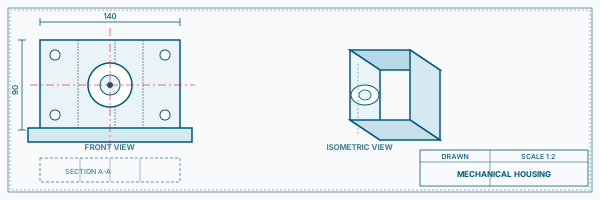
Mechanical Bracket and Fixture Model
Mechanical CADMechanical Bracket and Fixture Model
Model a steel mounting bracket with holes, fillets and ribs, then mate it with a base plate and fasteners in an assembly. Submitted and reviewed online.
Mechanical CAD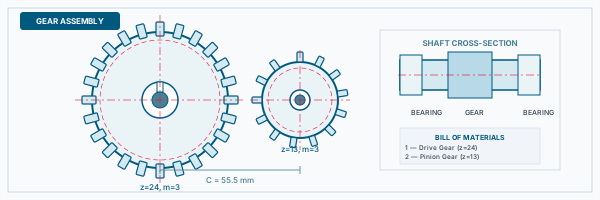
Shaft and Coupling Component
Mechanical CADShaft and Coupling Component
Create a rotating shaft with keyway, coupled to a hub or sleeve, demonstrating assembly mates, clearance checks and section view documentation.
Mechanical CAD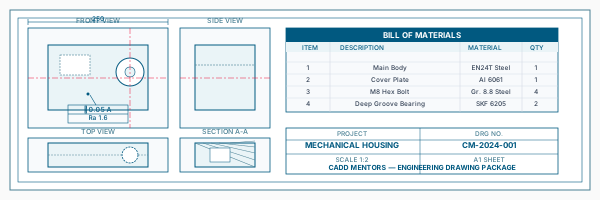
Sheet Metal Enclosure
Mechanical CADSheet Metal Enclosure
Design a thin-wall sheet metal box with flanges, bend reliefs and a flat pattern output - suitable for a control panel or housing application.
Mechanical CAD Mechanical Sub-Assembly
Mechanical CADMechanical Sub-Assembly
Build a multi-component sub-assembly with standard mates, motion demonstration, interference analysis and an exploded view with BOM.
Mechanical CAD Final Mechanical CAD Package
Mechanical CADFinal Mechanical CAD Package
Complete deliverable: part models, fully constrained assembly, exploded view, bill of materials and a drawing set with dimensions and GD&T - forming an online portfolio project.
Mechanical CADIs This Course for You?
Who Should Join SolidWorks Online Training Course?
Mechanical engineering students anywhere in India who want live online SolidWorks training
Diploma holders in mechanical or production engineering seeking industry-ready 3D CAD skills
Product design learners who want to build mechanical modelling skills without travelling to Bangalore
Manufacturing and production professionals upgrading from 2D drawing to parametric 3D design
Working professionals in engineering roles who need flexible evening or weekend SolidWorks sessions
Students in Tier 2 and Tier 3 cities where local SolidWorks training options are limited or unavailable
After the Course
Career Opportunities After SolidWorks Online Training Course
These are roles and sectors where this software skill is typically valued. Job outcomes depend on your background, portfolio and other factors.
Mechanical CAD designer at product development firms, manufacturing companies or engineering consultancies
Product design trainee in consumer goods, industrial equipment or automotive component companies
Design engineer support role at machine builders, tooling companies or precision engineering firms
Drafting and detailing engineer producing manufacturing drawings from 3D models
Manufacturing design support at FMCG, automotive or aerospace component suppliers
CAD modeller for product and machine component development in start-ups and hardware teams
Training Delivery
Live Online Training Across India
Online Training - Live Instructor-Led, Pan India
This course is delivered through live online sessions for students across India. Students attend from their own machine, practise during the session and receive instructor support online.
Software Resources
Official Software References
These links point to official software and product pages that can help learners understand the tools covered in this course.
Software names and product names are trademarks of their respective owners. CADD Mentors is an independent training provider and is not affiliated with or endorsed by these companies.
Support
Frequently Asked Questions - SolidWorks Online Training Course
- Is this SolidWorks course conducted fully online?
- Yes. This is a live instructor-led online course with no classroom sessions. Students attend over video conferencing, follow along on their own SolidWorks installation, and receive remote support throughout. There is no need to travel to Bangalore.
- Can beginners learn SolidWorks online through this course?
- Yes. The course starts from the SolidWorks interface and fundamental sketching before progressing to part modelling, assemblies and drawings. No prior 3D CAD experience is required, though basic mechanical drawing knowledge is helpful.
- Is SolidWorks useful for mechanical engineers?
- SolidWorks is one of the most widely used parametric 3D CAD tools in mechanical engineering, product design and manufacturing in India. Proficiency in SolidWorks is a common requirement in job descriptions for mechanical design, product development and CAD roles.
- What is the difference between SolidWorks and CATIA?
- SolidWorks is widely used in small and medium manufacturing companies and is the most in-demand parametric tool in India for general mechanical design. CATIA is the standard in aerospace, automotive OEMs and defence for complex surface modelling and large assembly management. Both are Dassault Systemes products. CADD Mentors offers training in both.
- Do I need to come to Bangalore for this course?
- No. This online course is available from any location in India. If you specifically want classroom training in Bangalore, a separate SolidWorks classroom course is available at our HSR Layout centre.
- Will I work on real projects during the online course?
- Yes. Every module includes practical exercises and the course ends with a complete mechanical CAD project covering part modelling, assembly design, exploded views and a drawing set. Projects are submitted and reviewed live by the instructor.
- Is this online SolidWorks course suitable for working professionals?
- Yes. Batches are scheduled to include morning, evening and weekend options. Working professionals can attend live sessions on a schedule that fits their work hours and practise at their own pace with recorded session access.
- Will I receive a certificate after completing the course?
- Yes. You receive a CADD Mentors Certificate of Completion on successfully finishing the course. CADD Mentors is an independent training provider and is not an official SOLIDWORKS authorised training centre.
Start Your CAD Learning Journey with CADD Mentors
Speak with our counsellor, choose the right course for your goal and attend a free demo before joining.