
Revit MEP Training in Bangalore
Revit MEP Training in Bangalore at CADD Mentors. Learn BIM-based mechanical, electrical and plumbing design using Autodesk Revit MEP. Practical course for MEP engineers and BIM coordinators.
Course Details
Revit MEP Training
Duration
60 Hours
Mode
Classroom + Online
Software
Autodesk Revit MEP, Revit 2024 + more
Eligibility
Engineering / Design students · Professionals
Certificate
Included on completion
Delivery
HSR Layout · Online India
About This Course
Revit MEP Training in Bangalore at CADD Mentors is a practical BIM course covering mechanical, electrical and plumbing systems design using Autodesk Revit. Revit MEP is the industry-standard tool for building services engineers and BIM coordinators working on HVAC, plumbing, drainage and electrical systems within a coordinated Building Information Model.
This Revit MEP course is designed for engineering students and professionals who want to produce accurate, coordinated MEP drawings and models as part of a BIM project team.
CADD Mentors provides Revit MEP training from our HSR Layout setup in Bangalore. Online training is available for students across India.
Best suited for:
Curriculum
What You Will Learn in Revit MEP Training
Revit MEP interface, project setup and MEP-specific worksets
Mechanical systems: HVAC ductwork layout, air terminals and diffusers
Plumbing systems: pipe routing, fixtures, drainage and sanitary systems
Electrical systems: cable trays, conduit, panels and lighting fixtures
MEP families: creating and editing system families and component families
Clash detection concepts and coordination with architectural/structural models
MEP coordination views: section, plan and isometric views
Schedules and quantity takeoffs for MEP systems
Sheet creation, annotation and printing for MEP drawings
Introduction to BIM coordination workflows and IFC export
Course Structure
Revit MEP Training — Syllabus Modules
Module 1 – Revit MEP Interface and Project Setup
MEP workspace orientation, project templates, levels, grids, linked files and worksets for MEP.
Module 2 – Mechanical Systems: HVAC
Duct systems, air terminals, mechanical equipment families, supply and return air routing, duct sizing overview.
Module 3 – Mechanical Systems: Plumbing
Pipe systems, sanitary drainage, domestic water supply, pipe routing tools and fixture placement.
Module 4 – Electrical Systems
Electrical equipment, panels, cable trays, conduit routing, lighting fixtures and circuit management.
Module 5 – MEP Families and System Configuration
Loading, editing and creating MEP system and hosted families, connector types and system parameters.
Module 6 – Views, Coordination and Clash Detection
MEP coordination views, discipline-specific views, linking architectural model, visual clash checking.
Module 7 – Schedules, Quantities and Documentation
Creating MEP-specific schedules, material takeoffs, legends and notes for construction documents.
Module 8 – Sheets, Printing and BIM Output
Sheet organisation for MEP deliverables, printing to PDF, exporting to IFC and DWG for coordination.
Not sure if this course is right for you?
Talk to a counsellor before you enrol - no commitment required.
Hands-On Learning
Course Project Examples
These are example project tasks you will practise during the training. Visuals are illustrative — they represent the type of work covered, not actual student output.
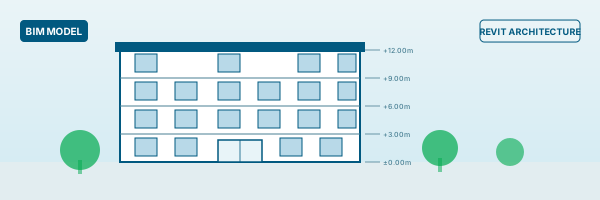
HVAC Ductwork Layout
BIMHVAC Ductwork Layout
Route supply and return air ductwork for a single-floor commercial space including air terminals and mechanical equipment.
BIM Plumbing System Design
BIMPlumbing System Design
Layout domestic water supply and sanitary drainage for a multi-floor residential building in Revit MEP.
BIM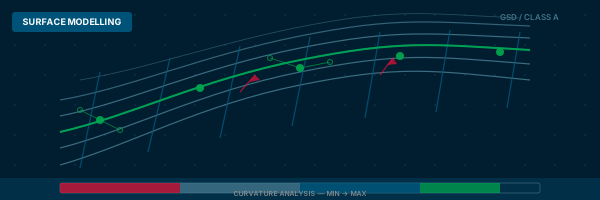
Electrical Panel and Lighting Layout
BIMElectrical Panel and Lighting Layout
Place electrical panels, route cable trays and design a lighting layout for an office floor.
BIM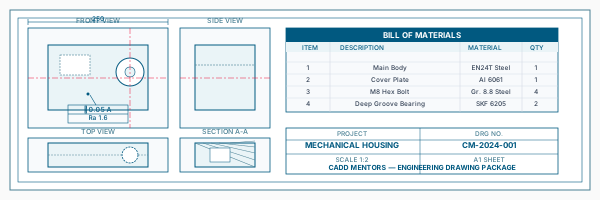
MEP Coordination Drawing Set
BIMMEP Coordination Drawing Set
Produce a coordinated MEP drawing set with mechanical, electrical and plumbing on separate discipline sheets.
BIM Clash Coordination Review
BIMClash Coordination Review
Link MEP model to architecture model, identify visual clashes and document coordination issues.
BIMIs This Course for You?
Who Should Join Revit MEP Training?
Mechanical engineering students interested in HVAC and plumbing design
Electrical engineering students targeting building services roles
Civil engineering students moving into BIM coordination
Architecture students who want to understand MEP systems within BIM
Working professionals in MEP consultancy or building services firms
BIM coordinators who need to work with MEP models
After the Course
Career Opportunities After Revit MEP Training
These are roles and sectors where this software skill is typically valued. Job outcomes depend on your background, portfolio and other factors.
MEP BIM modeller at building services or MEP consultancy firms
BIM coordinator managing MEP-architecture-structure coordination
HVAC or plumbing design engineer using Revit for documentation
Electrical BIM draughtsman at electrical consultants or contractors
Facilities management support using Revit MEP data
Junior BIM manager overseeing multi-discipline model coordination
Training Delivery
Classroom, Online and Flexible Training Options
Classroom Training — HSR Layout, Bangalore
CADD Mentors provides classroom training support from its HSR Layout setup in Bangalore. Batch availability is limited and sessions are scheduled on a batch basis. Learn more about our HSR Layout centre →
Online Training — Live Instructor-Led, Pan India
Online training is available for students who prefer to learn remotely. The same syllabus, projects and instructor support are provided online. Students from across India join our online programmes.
Software Resources
Official Software References
These links point to official software and product pages that can help learners understand the tools covered in this course.
Software names and product names are trademarks of their respective owners. CADD Mentors is an independent training provider and is not affiliated with or endorsed by these companies.
Support
Frequently Asked Questions - Revit MEP Training
- Is Revit MEP training available in Bangalore at CADD Mentors?
- Yes. CADD Mentors offers Revit MEP training from our HSR Layout setup in Bangalore. Classroom sessions are batch-based. Online training is also available for students who prefer to learn remotely.
- What is the difference between Revit Architecture and Revit MEP?
- Revit Architecture is used for modelling the building structure — walls, floors, roofs, doors and windows. Revit MEP focuses on the building services — HVAC systems, plumbing, drainage and electrical systems. Both are part of the Autodesk Revit platform and are designed to work together in a coordinated BIM environment.
- Do I need to know Revit Architecture before learning Revit MEP?
- Some familiarity with Revit basics helps, but it is not mandatory. Our Revit MEP course starts with the interface and project setup before moving into MEP-specific tools. If you want a broader BIM foundation, we recommend completing Revit Architecture training first.
- Who is Revit MEP training suitable for?
- Revit MEP is most relevant for mechanical, electrical, plumbing and civil engineering students or professionals who are involved in building services design, BIM coordination or construction documentation for MEP systems.
- What is clash detection in Revit MEP?
- Clash detection identifies conflicts between different building systems — for example, where a duct from the HVAC model overlaps with a structural beam in the architecture model. In Revit MEP, this is done visually by linking models. Advanced clash detection is done using Autodesk Navisworks.
- Can I learn Revit MEP online through CADD Mentors?
- Yes. Online Revit MEP training is available with live instructor-led sessions. The syllabus and project scope are the same as classroom training.
Start Your CAD Learning Journey with CADD Mentors
Speak with our counsellor, choose the right course for your goal and attend a free demo before joining.