
Geometric Dimensioning and Tolerancing (GD&T) Training in Bangalore
GD&T Training in Bangalore at CADD Mentors. Learn Geometric Dimensioning and Tolerancing (GD&T) per ISO and ASME standards for mechanical design, inspection and manufacturing communication.
Course Details
GD&T Training
Duration
30 Hours
Mode
Classroom + Online
Software
AutoCAD Mechanical, SolidWorks (GD&T annotation) + more
Eligibility
Engineering / Design students · Professionals
Certificate
Included on completion
Delivery
HSR Layout · Online India
About This Course
Geometric Dimensioning and Tolerancing (GD&T) Training in Bangalore at CADD Mentors covers both ISO 1101 and ASME Y14.5 standards — the engineering drawing language used in every precision manufacturing and product development environment. This GD&T course teaches engineers and CAD professionals how to read, interpret and apply GD&T controls to mechanical drawings, enabling clear communication of design intent across design, manufacturing and quality teams.
CADD Mentors provides GD&T training from our HSR Layout centre in Bangalore. Online training is available for professionals across India.
Best suited for:
Curriculum
What You Will Learn in GD&T Training
Purpose of GD&T: communicating design intent beyond ±tolerance dimensions
ISO 1101 and ASME Y14.5 drawing standards: rules, symbols and interpretation
Feature of size, actual mating envelope and maximum material condition (MMC)
Form controls: flatness, straightness, circularity and cylindricity
Orientation controls: parallelism, perpendicularity and angularity
Position and true position: locating holes, slots and features on a pattern
Runout controls: circular runout and total runout for rotating components
Datum reference frames: primary, secondary and tertiary datum selection
Tolerance stacking and worst-case analysis for assemblies
Reading and interpreting GD&T on engineering drawings for inspection and manufacturing
Course Structure
GD&T Training — Syllabus Modules
Module 1 – Introduction to GD&T and Drawing Standards
Why GD&T, history, ISO 1101 vs ASME Y14.5, basic rules and the GD&T symbol set.
Module 2 – Datums and Reference Frames
Datum targets, datum reference frames, primary-secondary-tertiary hierarchy and how datums constrain geometry.
Module 3 – Form Controls
Flatness, straightness, circularity and cylindricity — independent of datums — with drawing examples.
Module 4 – Orientation Controls
Parallelism, perpendicularity and angularity with respect to datums for flat and cylindrical surfaces.
Module 5 – Position and True Position
Locating features with true position, bonus tolerance at MMC/LMC, composite position and pattern location.
Module 6 – Profile and Runout Controls
Profile of a line and surface, circular and total runout for shafts, hubs and bearing seats.
Module 7 – Tolerance Stacking and Assembly Analysis
Worst-case and statistical tolerance analysis for assemblies — applying GD&T to real-world fit and function.
Module 8 – Interpretation and Inspection
Reading production drawings, CMM inspection context and communication between design, manufacturing and quality.
Not sure if this course is right for you?
Talk to a counsellor before you enrol - no commitment required.
Hands-On Learning
Course Project Examples
These are example project tasks you will practise during the training. Visuals are illustrative — they represent the type of work covered, not actual student output.
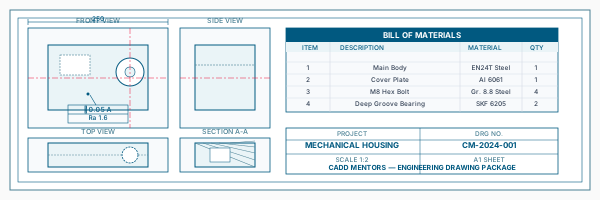
Annotated Machined Part Drawing
Mechanical CADAnnotated Machined Part Drawing
Apply GD&T controls to a multi-feature machined component — select datums, add form and position controls and complete the feature control frames.
Mechanical CAD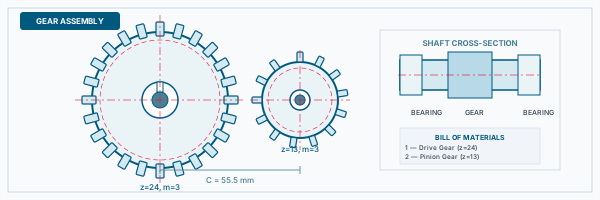
Shaft Tolerance Specification
Mechanical CADShaft Tolerance Specification
Specify runout, cylindricity and position controls for a precision shaft with bearing and keyway features.
Mechanical CAD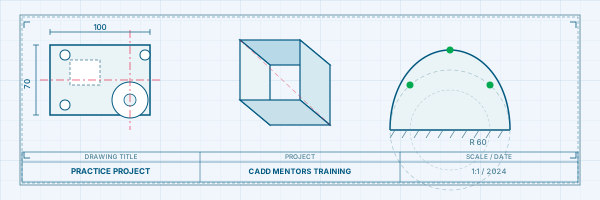
Hole Pattern Position Study
Mechanical CADHole Pattern Position Study
Define true position for a bolt hole pattern, calculate bonus tolerance at MMC and verify assembly fit.
Mechanical CAD Assembly Tolerance Stack
Mechanical CADAssembly Tolerance Stack
Perform a worst-case tolerance stack analysis on a multi-part assembly and adjust GD&T controls to ensure proper function.
Mechanical CADIs This Course for You?
Who Should Join GD&T Training?
Mechanical engineering students who will read or create engineering drawings professionally
Design engineers applying tolerances to 3D models and 2D production drawings
Quality and inspection engineers who measure parts against drawing specifications
Manufacturing engineers communicating tolerance requirements to machinists and vendors
CAD professionals using SolidWorks, Creo or AutoCAD Mechanical for drawing production
Metrology and CMM operators who need to understand GD&T drawing callouts
After the Course
Career Opportunities After GD&T Training
These are roles and sectors where this software skill is typically valued. Job outcomes depend on your background, portfolio and other factors.
Mechanical design engineer producing GD&T-annotated drawings for manufacturing
Quality assurance engineer interpreting drawings for inspection and metrology
Manufacturing process engineer specifying machining and grinding tolerances
Supplier quality engineer reviewing vendor drawings and capability studies
Product validation engineer working with dimensional measurement and CMM data
Draughtsman or CAD specialist at precision engineering and tooling companies
Training Delivery
Classroom, Online and Flexible Training Options
Classroom Training — HSR Layout, Bangalore
CADD Mentors provides classroom training support from its HSR Layout setup in Bangalore. Batch availability is limited and sessions are scheduled on a batch basis. Learn more about our HSR Layout centre →
Online Training — Live Instructor-Led, Pan India
Online training is available for students who prefer to learn remotely. The same syllabus, projects and instructor support are provided online. Students from across India join our online programmes.
Support
Frequently Asked Questions - GD&T Training
- Is GD&T training available in Bangalore at CADD Mentors?
- Yes. GD&T training is available from our HSR Layout centre in Bangalore. Classroom sessions are batch-based and online training is also available.
- What is GD&T used for?
- Geometric Dimensioning and Tolerancing (GD&T) is the engineering drawing language used to communicate precise dimensional requirements between designers, manufacturers and quality inspectors. It replaces ambiguous ±tolerances with geometrically defined controls that guarantee part function regardless of where it is manufactured.
- Which standard is covered — ISO or ASME?
- The course covers both ISO 1101 (used in Europe and India) and ASME Y14.5 (used in the USA and global OEM supply chains). Differences between the two standards are highlighted.
- Do I need CAD software knowledge to learn GD&T?
- GD&T is primarily a drawing interpretation and annotation skill. Some practical exercises use AutoCAD Mechanical and SolidWorks for applying GD&T callouts. Basic familiarity with 2D drawings is sufficient to start.
- How long is the GD&T course?
- The GD&T course at CADD Mentors is approximately 30 hours, covering all fourteen GD&T controls, datum theory, MMC/LMC, tolerance stacking and inspection interpretation.
- Can I take the GD&T course alongside other Mechanical CAD courses?
- Yes. GD&T is often taken alongside AutoCAD Mechanical or SolidWorks as a complementary skill. It is also available as a standalone short course for professionals.
Start Your CAD Learning Journey with CADD Mentors
Speak with our counsellor, choose the right course for your goal and attend a free demo before joining.