
SolidWorks vs CATIA vs NX: Which Mechanical CAD Software Should You Learn?
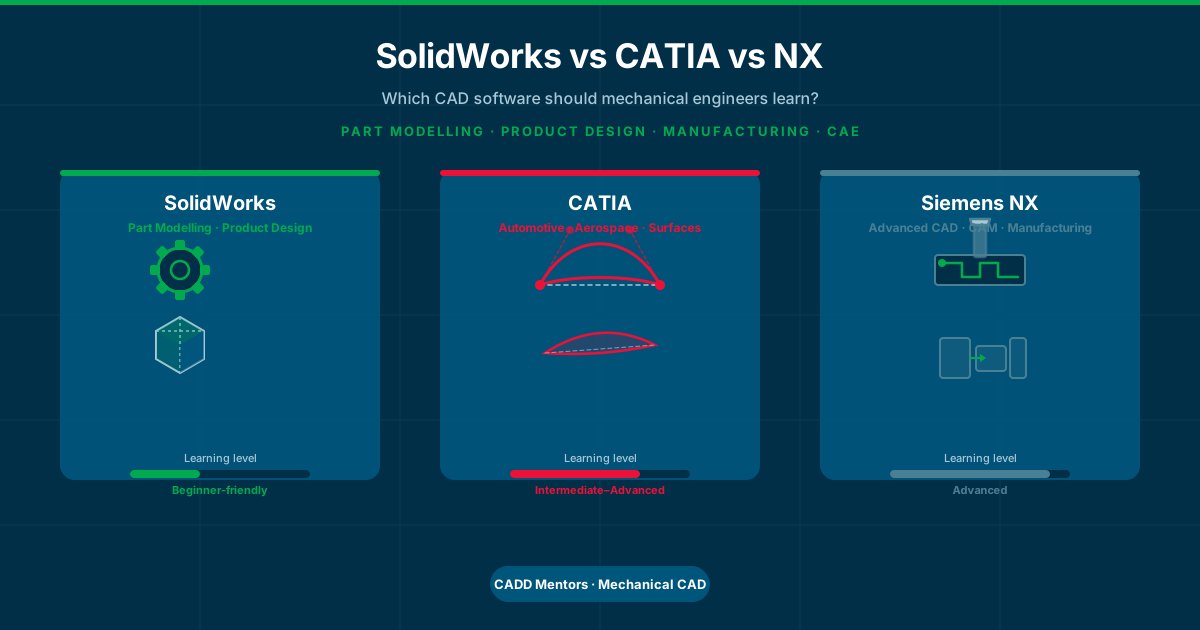
If you are a mechanical engineering student or a working professional looking to upskill in CAD, you have probably heard of SolidWorks, CATIA and Siemens NX. All three are 3D mechanical CAD tools. All three are used in real engineering environments. And all three show up when people ask about the best CAD software for mechanical engineers.
The confusion is understandable. Training institutes, job postings and college seniors mention different software. Courses exist for all three. And it is not obvious which one is the right starting point or which one will be most useful for a specific career direction.
This guide gives you a plain-language comparison. It explains what each software does, who uses it, how hard it is to learn, and how to choose a learning path based on your background and goals.
Quick Answer: Which CAD Software Should Mechanical Engineers Learn?
If you want a direct answer first:
- Learn SolidWorks if you want to start with part modelling, assemblies and product design basics. It is the most beginner-friendly of the three and is widely used in mechanical product design, industrial equipment, consumer products and manufacturing companies across India.
- Learn CATIA if you are interested in automotive design, aerospace, surface modelling and complex product design. CATIA is more advanced and more industry-specific.
- Learn NX if you want exposure to advanced CAD combined with manufacturing, CAM workflows and large integrated engineering environments.
- Start with SolidWorks or AutoCAD Mechanical if you are a beginner. Learn CATIA or NX after you have a solid foundation, based on your specific career direction.
SolidWorks vs CATIA vs NX: Quick Comparison
| Feature | SolidWorks | CATIA | Siemens NX |
|---|---|---|---|
| Best for | Part modelling, product design | Automotive, aerospace, surface design | Advanced CAD, CAM, manufacturing |
| Learning level | Beginner to intermediate | Intermediate to advanced | Advanced |
| 3D part modelling | Excellent | Excellent | Excellent |
| Surface modelling | Basic to intermediate | Advanced | Advanced |
| Assembly design | Good | Very strong (large assemblies) | Very strong |
| CAM / manufacturing | Basic | Some | Strong integrated CAM |
| Engineering drawings | Yes | Yes | Yes |
| Industry use | Product design, SMEs, defence | Automotive, aerospace, premium OEMs | Aerospace, automotive, heavy industry |
| Who should learn it | Most mechanical students | Automotive/aerospace-focused learners | Advanced manufacturing/CAM learners |
| CADD Mentors course | SolidWorks Training · Online | CATIA Training | NX CAD Training |
What Is SolidWorks?
SolidWorks is a parametric 3D CAD software developed by Dassault Systèmes. It is used primarily for mechanical part design, product development and engineering.
What you learn in SolidWorks:
- Parametric sketching: drawing 2D profiles with dimensions and constraints
- Part modelling: building 3D solid parts using features like extrude, revolve, fillet and shell
- Assembly modelling: combining multiple parts into an assembly and defining how they fit together
- Engineering drawings: creating dimensioned 2D drawings from 3D models for manufacturing
- Basic simulation: checking stress, deflection and factor of safety on simple parts
Why SolidWorks is popular for mechanical students:
SolidWorks has a relatively straightforward interface. The workflow is logical — you sketch, you add a feature, you build up the part step by step. Most engineering drawing concepts you learn in college (views, sections, dimensions) map directly to how SolidWorks generates output drawings.
It is widely used in small and medium-sized companies involved in product design, tooling, consumer goods, industrial machinery, defence and general manufacturing. For mechanical engineering students entering these sectors, SolidWorks is one of the most job-relevant CAD skills.
View SolidWorks Training in Bangalore · SolidWorks Online Training
What Is CATIA?
CATIA (Computer-Aided Three-dimensional Interactive Application) is a high-end product design and engineering software also developed by Dassault Systèmes. It is more complex than SolidWorks and is used in demanding engineering environments.
What CATIA is used for:
- Advanced 3D part and surface modelling
- Body-in-white design (automotive exterior and structural panels)
- Aerospace component design
- Complex assembly management with large numbers of parts
- Kinematics and mechanism analysis
- Digital mockup and large product structure management
Why CATIA matters for mechanical learners:
CATIA is associated with industries where product complexity, surface quality and design precision are critical — automotive, aerospace, defence and high-end manufacturing. If your career interest is in these sectors, CATIA is a relevant skill to develop.
It is a harder tool to learn than SolidWorks. The menus are more complex, the workflow requires more experience, and the concepts go deeper into surface geometry and product lifecycle. Most learners benefit from having SolidWorks experience before starting CATIA.
View CATIA Training at CADD Mentors
What Is Siemens NX?
Siemens NX (also called NX CAD or just NX) is a product design and manufacturing software made by Siemens Digital Industries. It is used at the advanced end of mechanical engineering — combining CAD, CAM and CAE in one integrated environment.
What NX is used for:
- Advanced 3D part modelling and surface design
- Large and complex assembly design
- CAM (Computer-Aided Manufacturing): generating toolpaths for CNC machining directly from the design model
- CAE integration for structural, thermal and motion analysis
- Sheet metal and composite design
- Integrated design-to-manufacture workflows in industrial environments
Why NX matters for mechanical learners:
NX is used in aerospace, automotive, defence, heavy engineering and manufacturing companies that need tight integration between the design and the production floor. If you are interested in manufacturing engineering, CNC programming, tooling design or advanced product development, NX is the most relevant tool in this group.
NX has a steeper learning curve than both SolidWorks and CATIA for complete beginners. It is most useful as a progression from earlier CAD experience.
View NX CAD Training at CADD Mentors
SolidWorks vs CATIA: How Are They Different?
Both SolidWorks and CATIA are made by Dassault Systèmes and share some underlying design logic. But they are aimed at different users and different project scales.
Beginner friendliness: SolidWorks wins here. The interface is cleaner, the feature tree is easier to understand, and the learning curve is gentler. CATIA assumes more prior CAD experience.
Part modelling: Both are excellent for parametric solid modelling. SolidWorks is easier to learn for standard mechanical parts. CATIA is more powerful for complex, highly detailed and constraint-heavy parts common in automotive or aerospace design.
Surface modelling: CATIA has significantly stronger surface modelling capabilities. If your work involves freeform surfaces — car body panels, aircraft fuselage sections, complex consumer product exteriors — CATIA has tools specifically designed for that. SolidWorks can handle surface modelling but at a less advanced level.
Industry use: SolidWorks is used broadly across mechanical industries. CATIA is more concentrated in automotive OEMs, aerospace primes and premium product companies. If you want to work in a company that builds vehicles, aircraft or defence equipment, CATIA is more likely to be the software in use.
Project complexity: SolidWorks handles small to medium complexity assemblies well. CATIA is built for massive, complex assemblies with thousands of parts — the kind of assemblies found in a complete vehicle or aircraft.
Learning path: Most learners are better off starting with SolidWorks. The concepts transfer to CATIA. Going directly to CATIA without any 3D CAD background is possible but harder.
CATIA vs NX: What Is the Difference?
Both CATIA and NX are high-end CAD platforms used in complex engineering environments. They share some similarities — both handle advanced surface modelling, large assemblies and integration with simulation. But they have different strengths.
Product design and surface modelling: Both are strong. CATIA has a longer history in automotive surface design. NX is also capable but is particularly valued in environments where CAD feeds directly into manufacturing.
Manufacturing and CAM: NX has a more deeply integrated CAM (Computer-Aided Manufacturing) module. If you are designing parts and also want to programme CNC machines from the same platform, NX is the stronger tool. CATIA has manufacturing tools but they are not as tightly integrated for CNC programming workflows.
Assembly management: Both handle large assemblies. CATIA is particularly associated with managing digital mockups of complete vehicles. NX is similarly capable for large industrial and aerospace structures.
Industry presence: CATIA is more associated with European automotive OEMs and aerospace companies. NX is used in aerospace, heavy engineering, defence and automotive as well — particularly in environments with significant manufacturing integration. In India, both are used in defence, aerospace and automotive supply chain environments.
Who should choose which: If your interest is in surface design, automotive styling or aerospace structure design, CATIA is the more direct path. If your interest is in manufacturing, CAM, tooling design or integrated design-to-production workflows, NX is the stronger fit.
SolidWorks vs NX: What Is the Difference?
Ease of learning: SolidWorks is significantly easier to start with. NX has a more complex interface and workflow. For a student with no prior 3D CAD experience, SolidWorks is the more practical starting point.
Product design workflow: Both support parametric part modelling, assemblies and engineering drawings. SolidWorks is more straightforward for general product design. NX gives more power when the design needs to feed into manufacturing processes.
Manufacturing depth: This is where NX has a clear advantage. NX integrates CAM tools for generating CNC toolpaths directly from the design. SolidWorks does not have this level of manufacturing integration natively.
Suitable learner profile: SolidWorks suits mechanical students focused on product design, mechanical systems, consumer products and general manufacturing. NX suits learners who want to go deeper into manufacturing engineering, tooling, CNC programming or large-scale industrial design workflows.
Which Is Best for Beginners?
For complete beginners to 3D CAD, SolidWorks is the recommended starting point among these three. The reasons are practical:
- The interface is cleaner and more logical for first-time learners.
- The learning curve is gentler — you can make a usable part in your first session.
- Concepts learned in SolidWorks (sketching, features, constraints, assemblies) carry over directly to CATIA and NX.
- SolidWorks is taught in many engineering colleges and training institutes, which means more study material and peer support is available.
For students who want to start with 2D engineering drawings and manufacturing documentation before moving to 3D modelling, AutoCAD Mechanical is a practical first step. It covers engineering drawing standards, title blocks, tolerances and dimensioning conventions that are useful regardless of which 3D CAD tool you use later.
AutoCAD Mechanical Training · Mechanical CAD Courses Online
Which Is Best for Product Design?
SolidWorks is the most commonly used tool for product design learning at the beginner-to-intermediate level. It supports the full product design workflow — concept sketching, 3D modelling, part detailing, assembly and manufacturing drawings.
CATIA is used for more complex product design work — particularly where surface quality, ergonomics and complex geometry matter. Consumer electronics housings, vehicle interior components, medical device casings and aerospace structures are areas where CATIA’s surface tools are relevant.
NX is used in product design when the design process is tightly linked to manufacturing. If the product is a machined component, sheet metal part or something that goes directly from design to CNC production, NX gives you tools to manage both sides in one platform.
For learners building a product design foundation, SolidWorks is the right starting point. CATIA or NX can follow based on the type of products and industries you want to work in.
Product Design Development for Mechanical Engineers
Which Is Best for Automotive and Aerospace?
CATIA is the tool most closely associated with automotive and aerospace design workflows. European automotive manufacturers and aerospace companies have used CATIA for decades in their design and engineering processes. Skills in CATIA surface modelling, body-in-white design and assembly management are relevant if you want to work in or with automotive OEMs or aerospace primes.
NX is also used in automotive and aerospace, particularly in manufacturing and advanced engineering environments. Companies involved in aerospace structures, defence systems and automotive powertrain components use NX for its integrated design-manufacturing capabilities.
For most learners targeting automotive or aerospace, the path is: SolidWorks fundamentals first, then CATIA or NX based on the specific type of role. It is worth noting that entry-level roles in automotive supply chain companies in India often require SolidWorks or general 3D CAD skills, not necessarily CATIA from day one.
Which Is Best for Manufacturing and CAM?
NX has the strongest manufacturing workflow in this group. Its integrated CAM module allows engineers to programme CNC machines directly from the 3D design model — no exporting to a separate CAM tool required. For learners interested in manufacturing engineering, tooling design or CNC programming, NX is the most relevant tool.
For manufacturing drawing skills — dimensioning, tolerances, surface finish, GD&T callouts — these are not software-specific. They apply to drawings made in SolidWorks, CATIA and NX equally.
Understanding GD&T (Geometric Dimensioning and Tolerancing) is important for any mechanical engineer creating drawings for production. GD&T defines exactly how a part should be measured and accepted after manufacturing, which prevents costly errors on the shop floor.
Online vs Classroom: What Does CADD Mentors Offer?
CADD Mentors offers selected live online training for Mechanical CAD learners anywhere in India. Online sessions are instructor-led, conducted in real time, and cover the same content as classroom programmes. You join via screen-sharing, ask questions during sessions and receive project feedback from the instructor.
For learners in Bangalore, batch-wise classroom training is available at the HSR Layout centre for selected Mechanical CAD courses. Classroom batch schedules and availability are confirmed by contacting the team directly — not all courses run daily.
If you are unsure whether online or classroom suits you, speak with a CADD Mentors counsellor. We can tell you what is currently running and when the next batch starts.
Still Confused Between SolidWorks, CATIA and NX?
Speak with a CADD Mentors counsellor and choose a Mechanical CAD learning path based on your background, project interest and career goal.
Mechanical CAD Learning Paths
Choose the path that matches your background and career direction.
Beginner Mechanical Student
Best for: Final-year students or recent graduates with no prior 3D CAD training.
Product Design Learner
Best for: Learners targeting product design, industrial design or mechanical systems design roles.
Automotive or Aerospace Interest
Best for: Learners targeting automotive design, body engineering or aerospace structure design roles.
Manufacturing or CAM Interest
Best for: Learners targeting manufacturing engineering, tooling design or CNC programming roles.
Online Learner (Anywhere in India)
Best for: Mechanical engineering learners outside Bangalore who want structured live online training.